
Cook with what you have.
Capture recipes from anywhere, match them to your pantry, and cook step-by-step with auto timers.
- ✓Capture from cookbooks, URLs, and videos
- ✓Cook what's already in your pantry
- ✓Step-by-step with auto timers — hands free
Free early access — no spam, ever.
Coming soon on
App Store
Your recipes are everywhere.
Screenshots you'll never find. Bookmarks you'll never open. Links you'll never click again.
Screenshots buried in your camera roll
Bookmarks you'll never open again
Links collecting dust in your browser
CookFlic brings them all together.
Everything you need to cook smarter
From capture to kitchen — everything that turns recipe chaos into tonight's dinner.
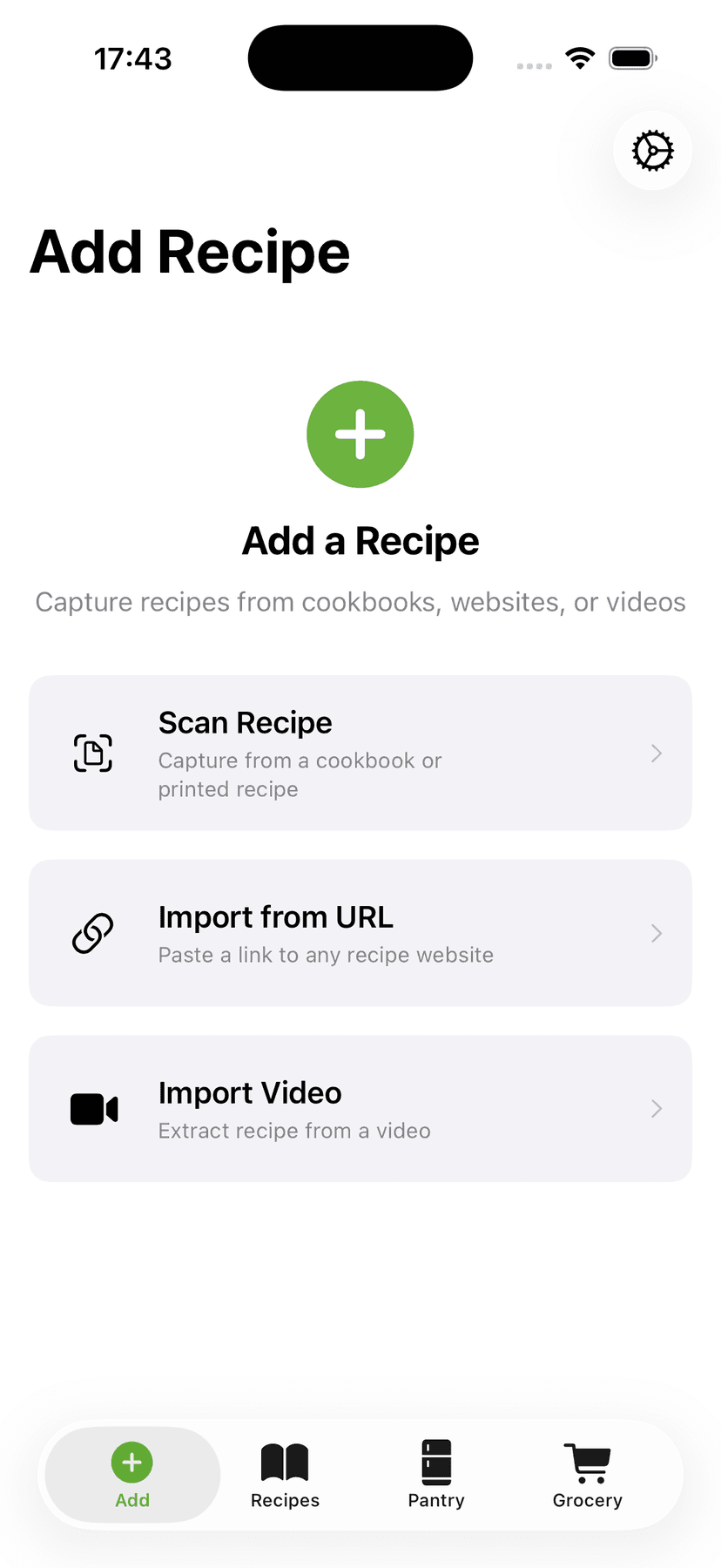
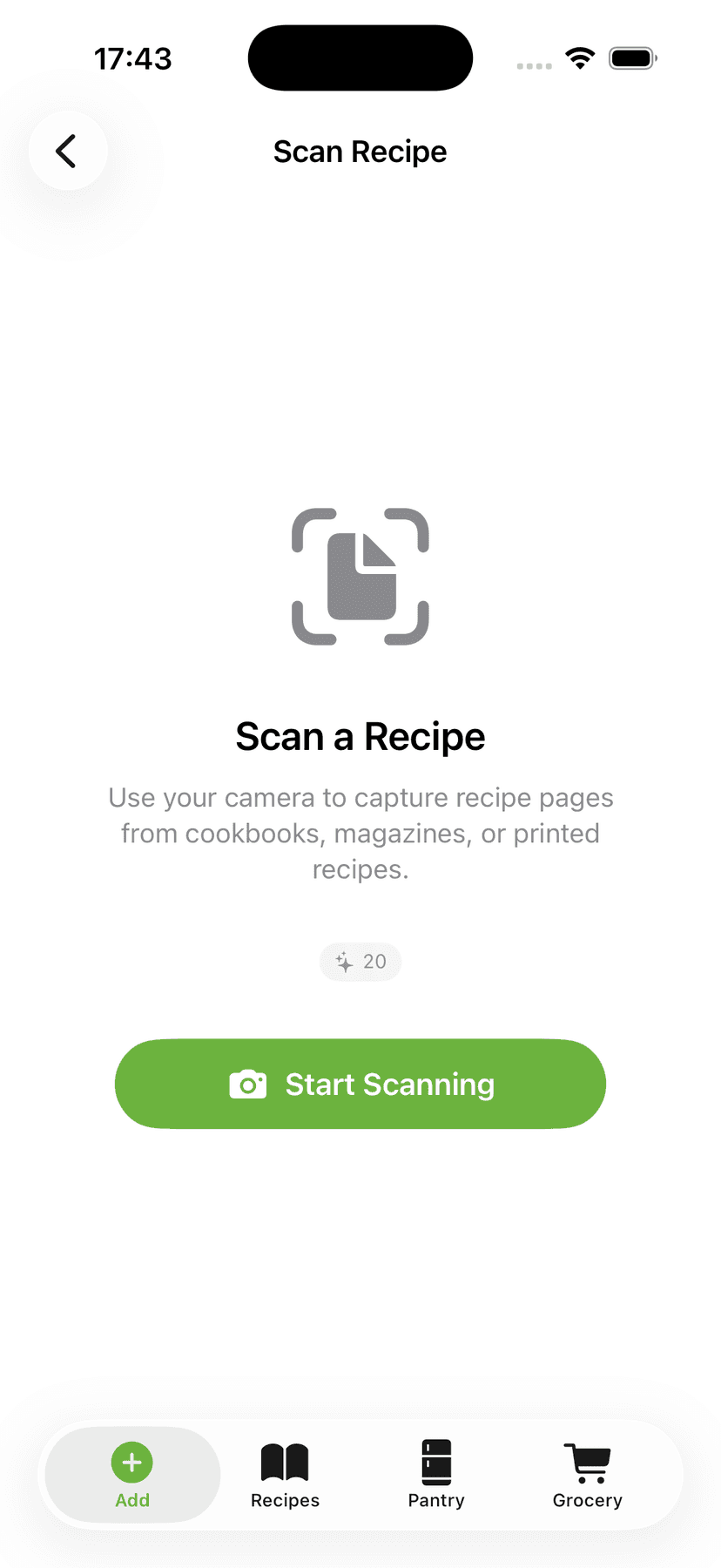
Capture recipes from anywhere
Snap a photo of a cookbook, paste a URL, or import from a video. CookFlic's AI extracts every ingredient and step instantly.
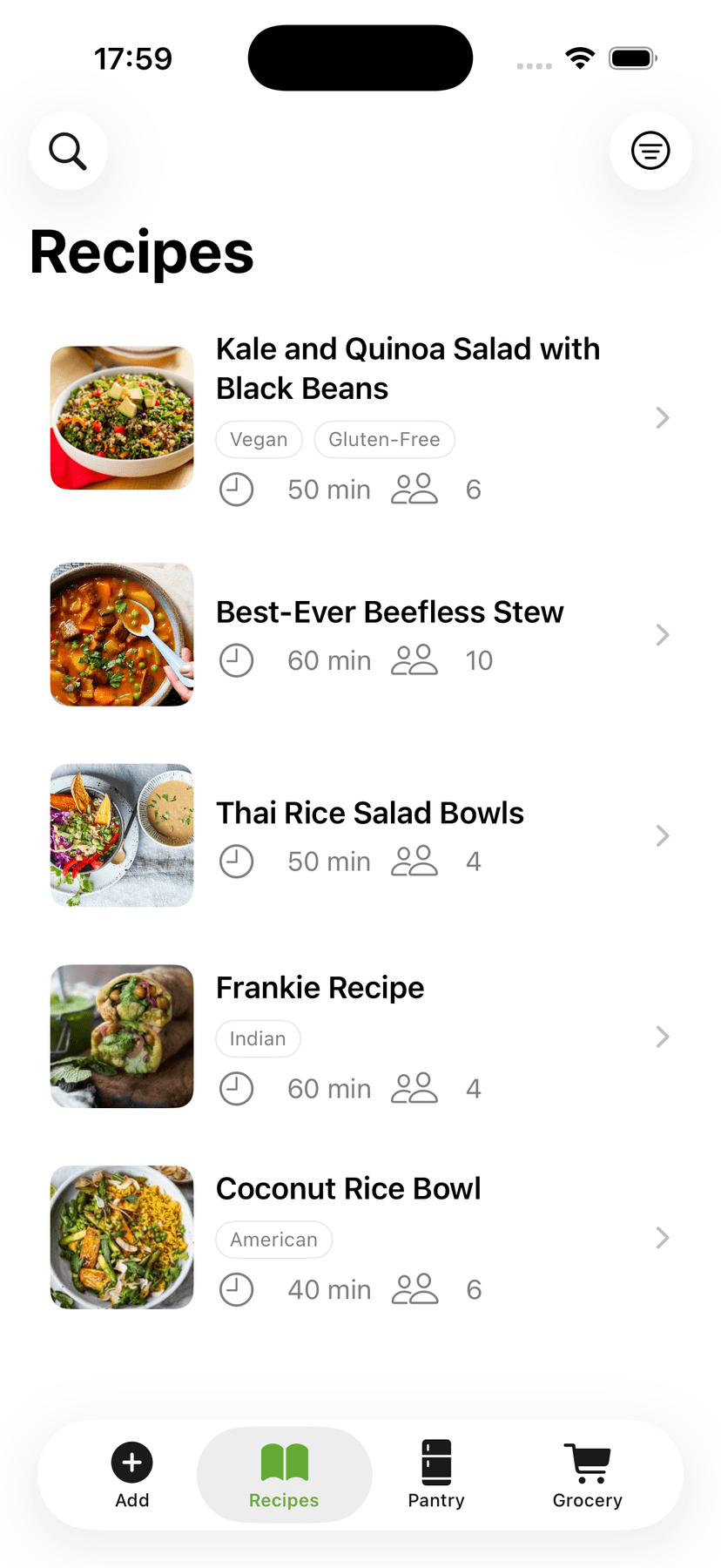
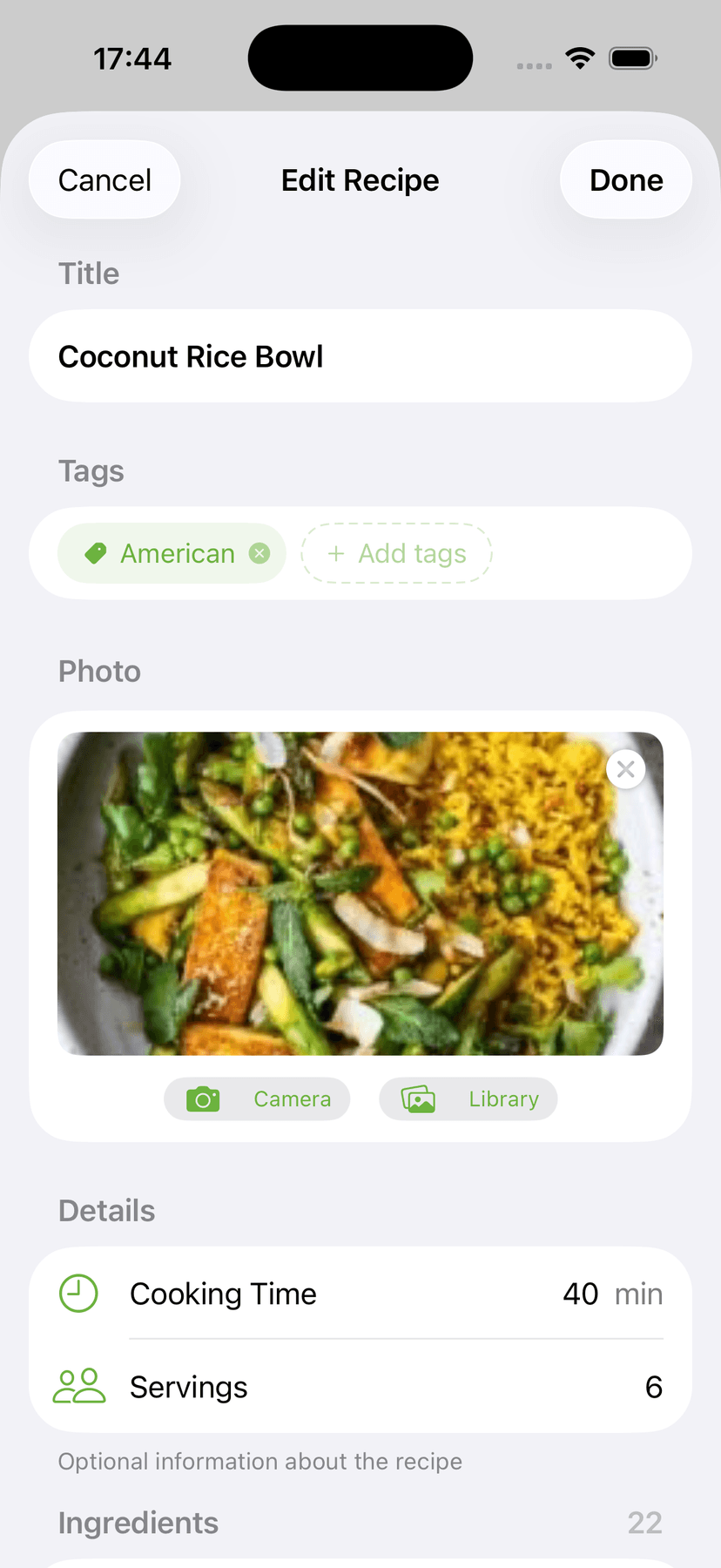
All your recipes in one place
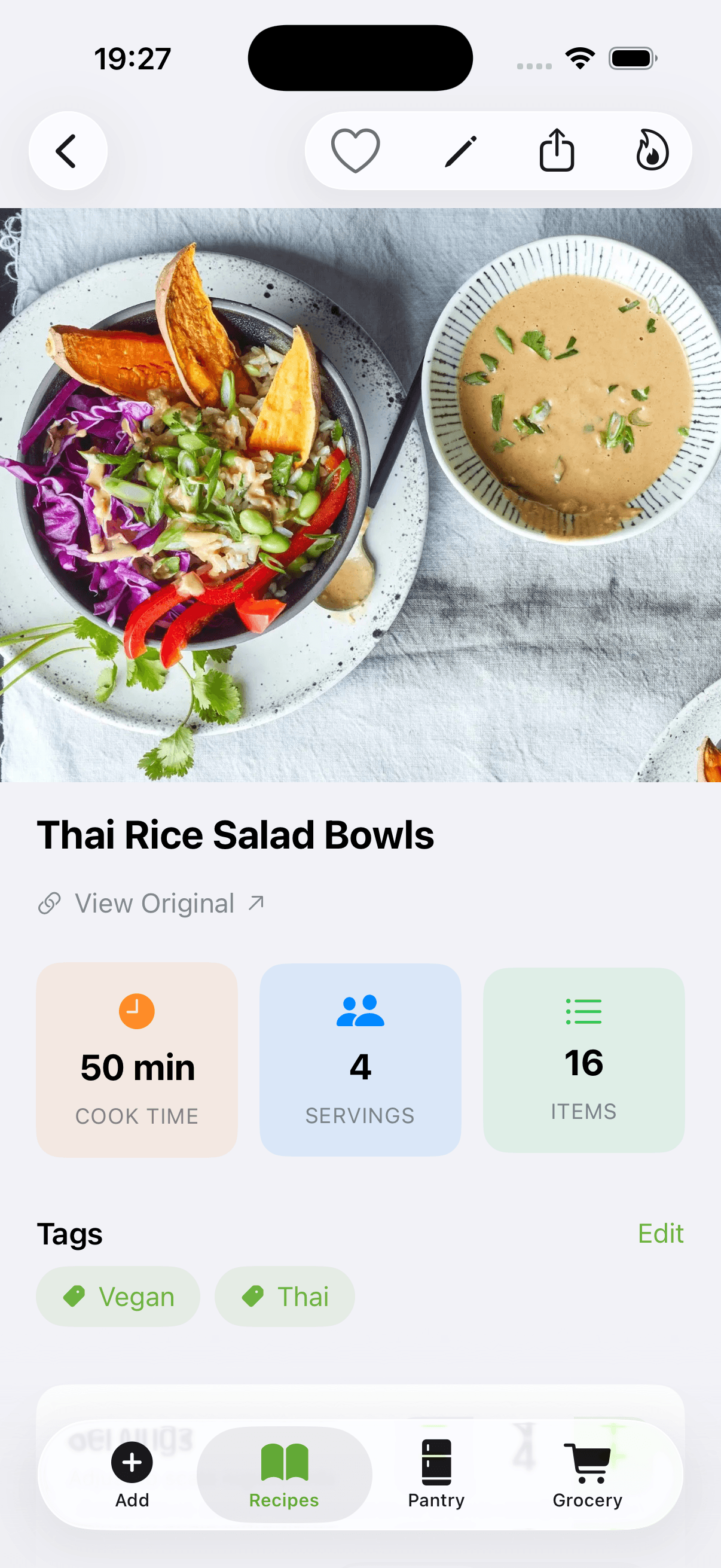
Browse your collection with photos, tags, and cook times. Edit any recipe, adjust servings, and switch between metric and imperial.
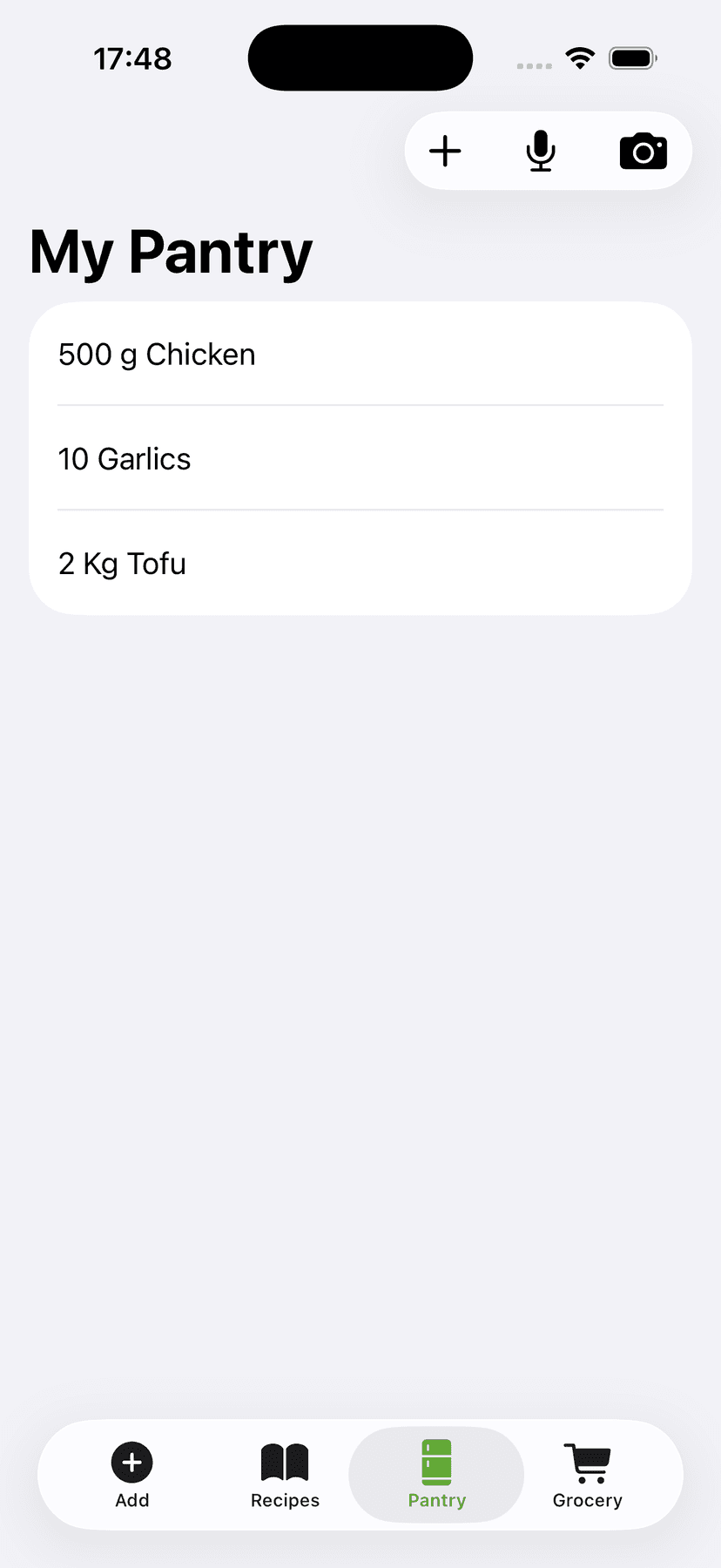
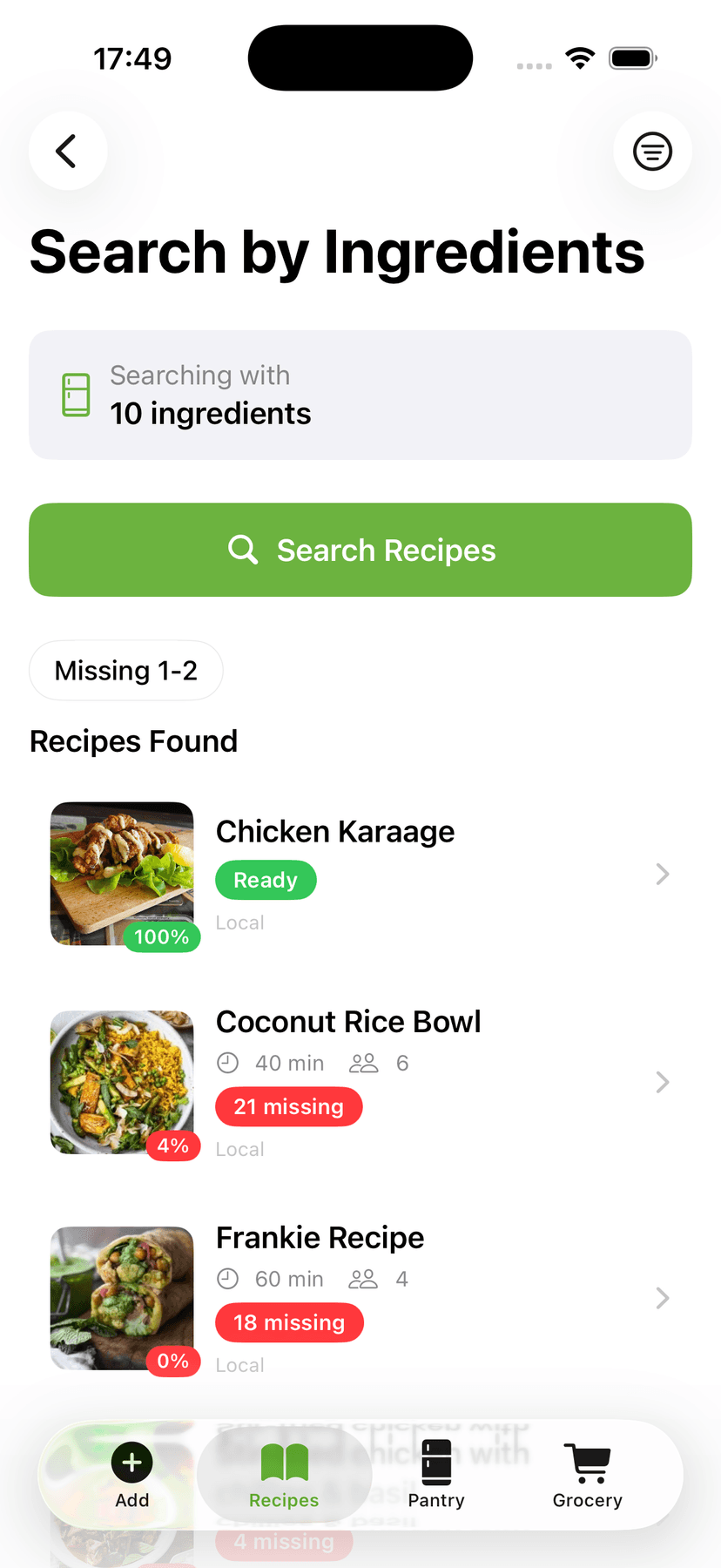
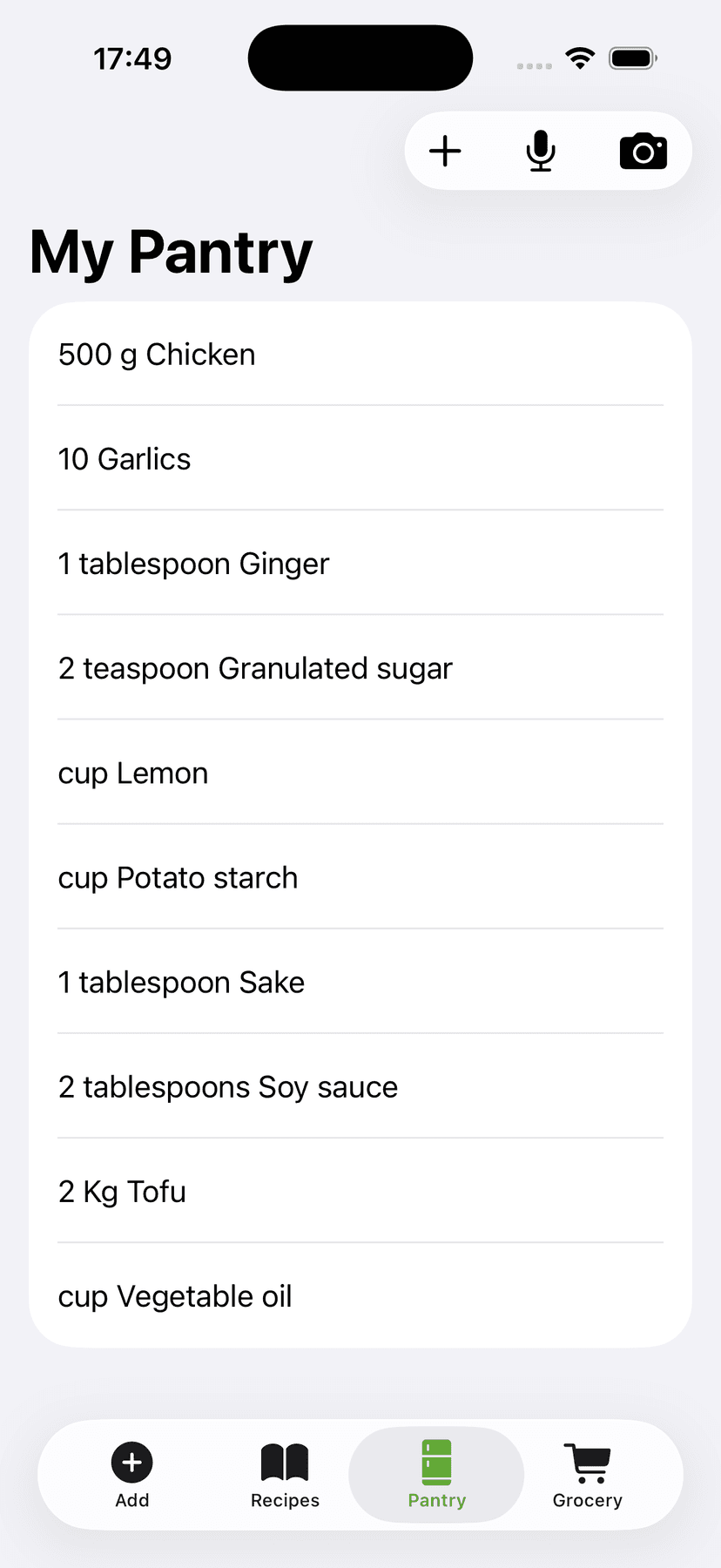
Cook with what you have
Track what's in your pantry and instantly find recipes you can make right now — with match scores so you never waste food.
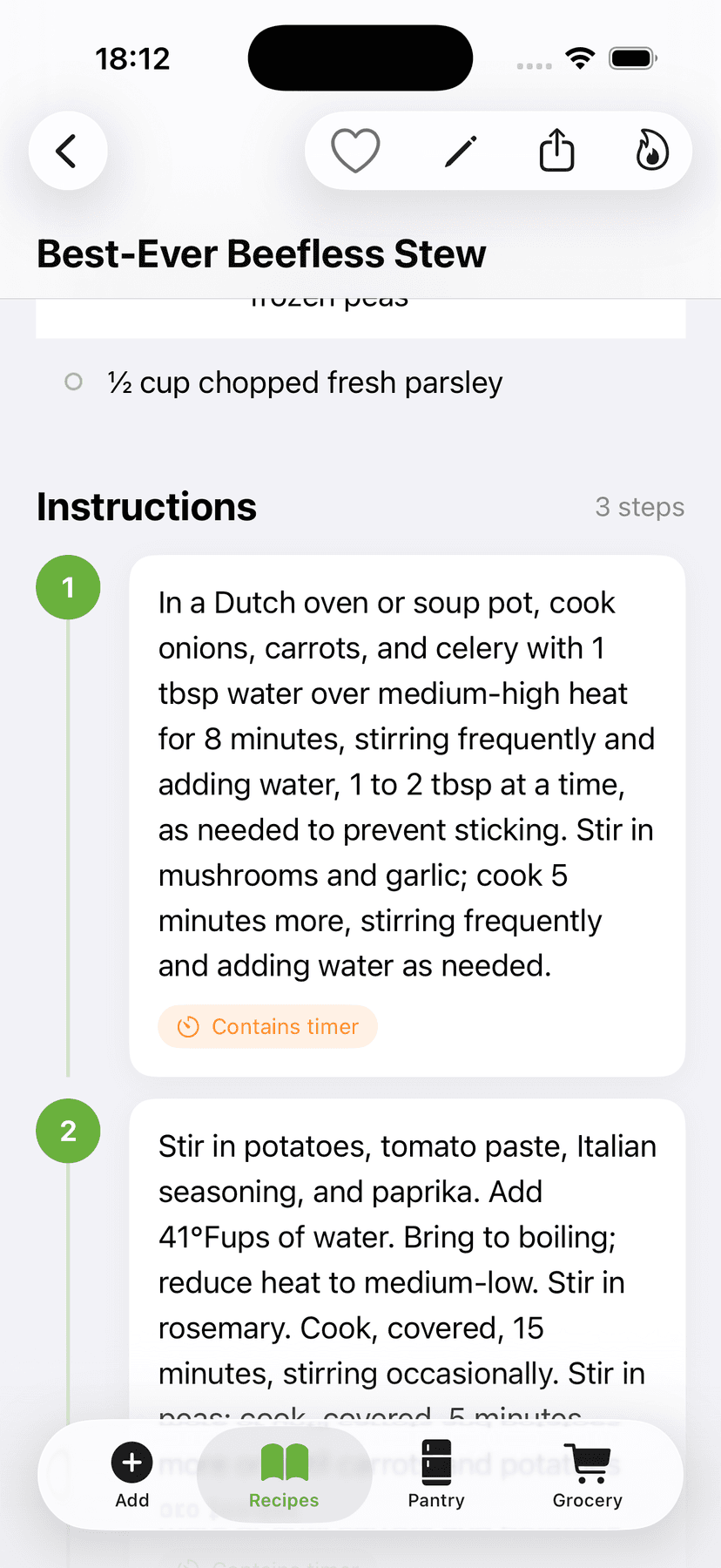
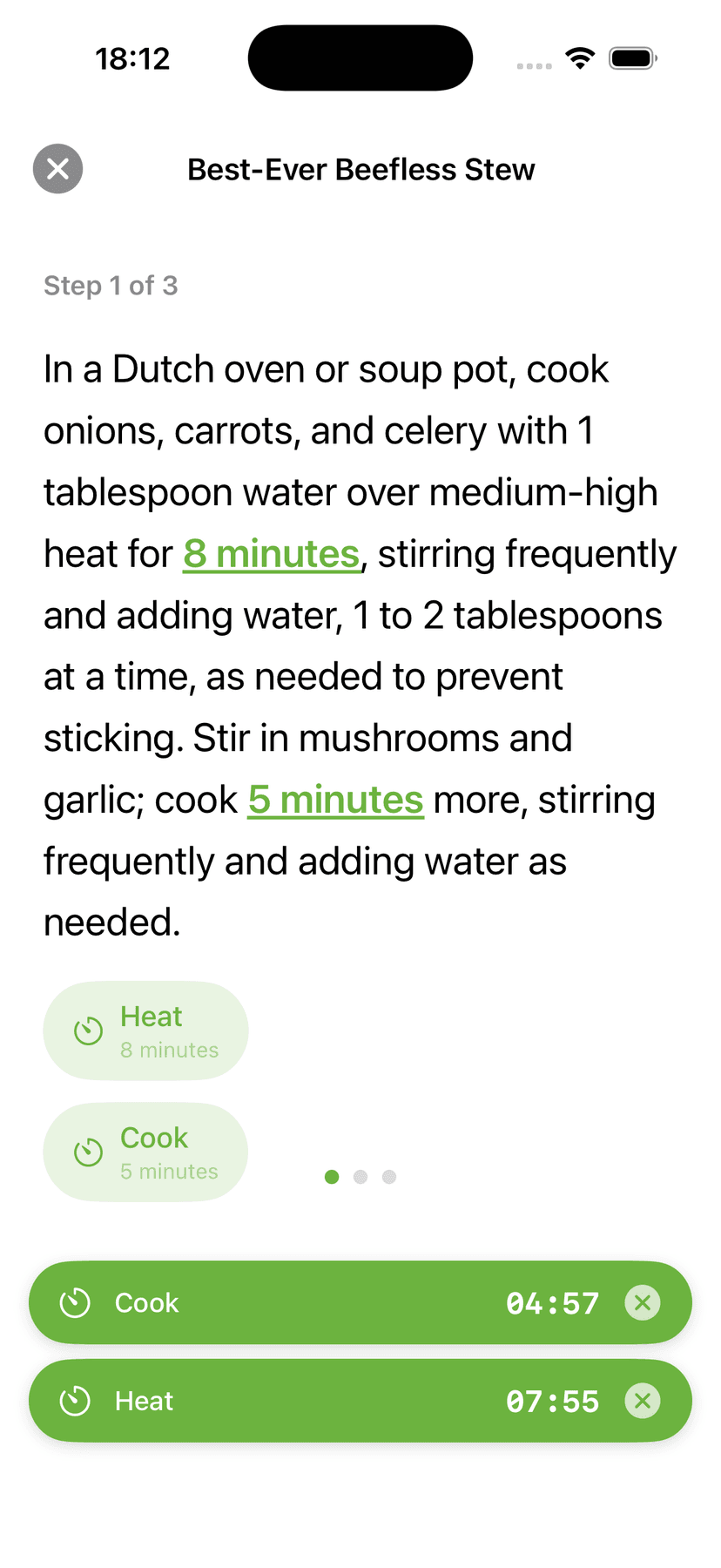
Step-by-step with auto timers
Follow each step hands-free. CookFlic detects timers in your recipe and runs them automatically — no more burnt garlic.
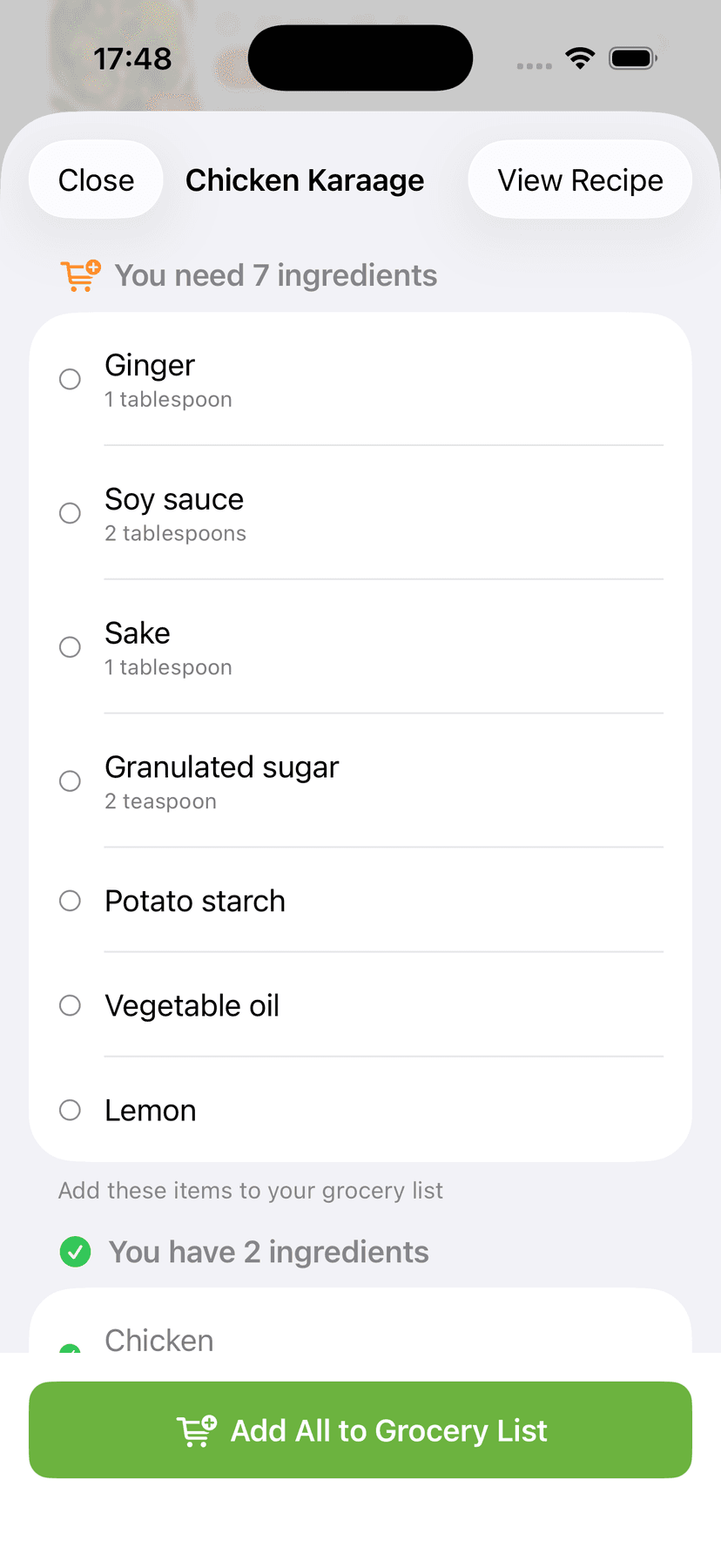
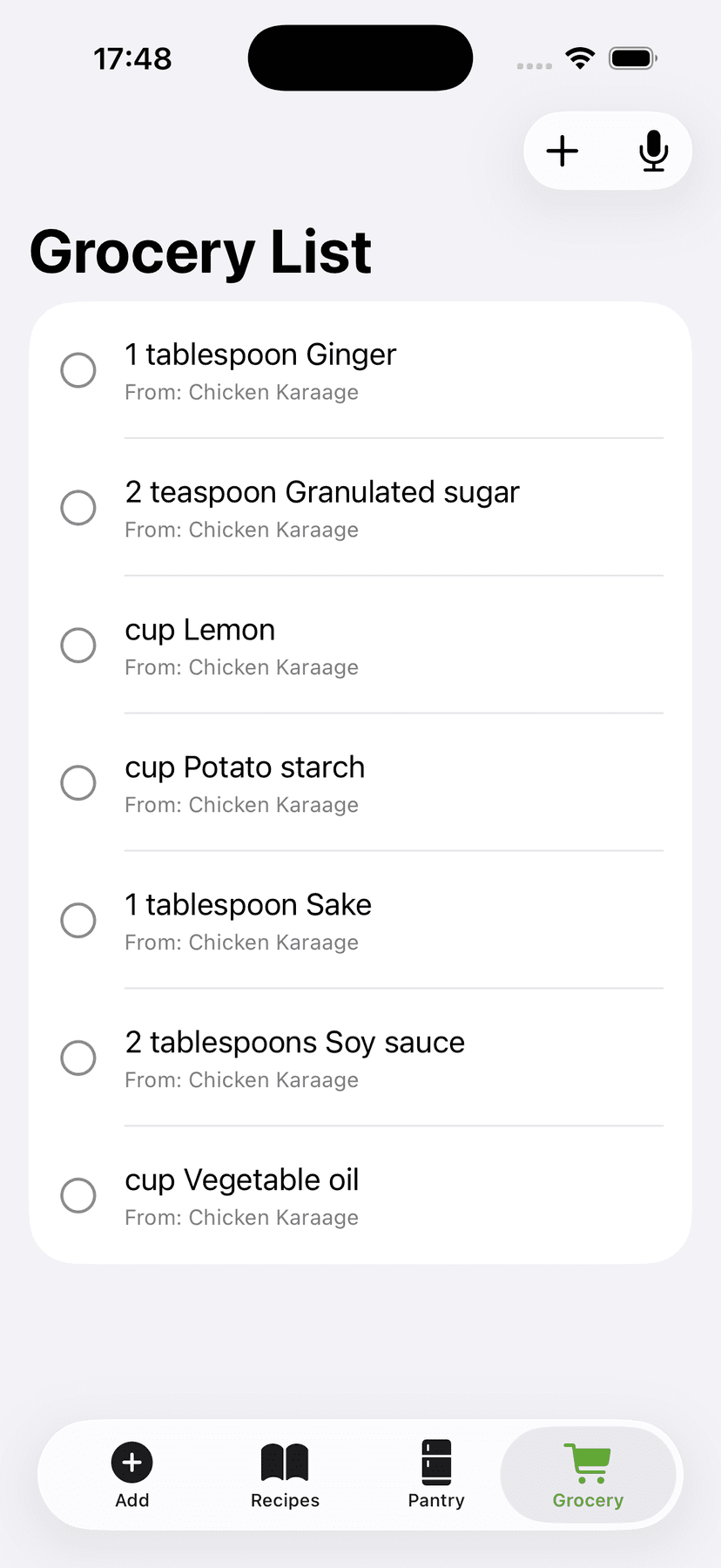
Know what's missing, shop smarter
See exactly which ingredients you need, then add them to your grocery list in one tap. No more guessing at the store.
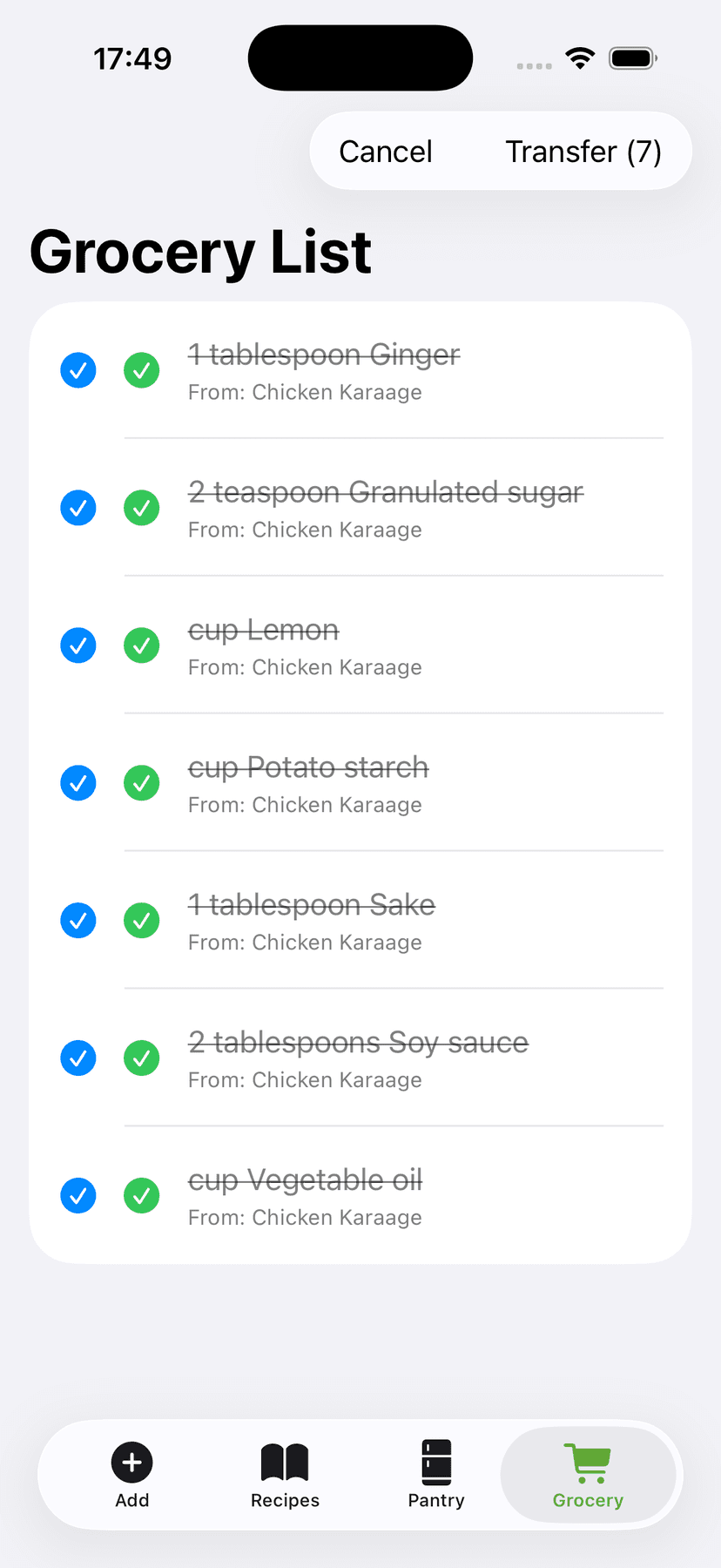
Your pantry stays in sync
After you shop, transfer items from your grocery list and your pantry updates automatically. The more you cook, the smarter it gets.
How CookFlic works
From scattered recipe to dinner on the table — in four simple steps.
Capture
Snap, paste, or share any recipe from anywhere.
Organize
AI extracts ingredients, steps, and details automatically.
Match
See which recipes you can make with what's in your kitchen.
Cook
Follow step-by-step instructions with hands-free mode.
Tips for home cooks
· 8 min read
5 Ways to Cook With What You Have in Your Fridge
Stop running to the store for one missing ingredient. These five strategies help you make great meals from the food already sitting in your kitchen.
· 7 min read
How to Organize Your Recipes on iPhone (The Right Way)
Screenshots, bookmarks, and browser tabs are not a recipe system. Here is how to build a clean, searchable recipe library on your iPhone that you will actually use.
· 7 min read
Why Meal Planning Starts With Your Pantry
Stop planning meals you will not cook. The best way to meal plan from your pantry is to start with what you already have — not a list of recipes from a food blog.
· 8 min read
Stop Food Waste: 10 Recipes That Use What You Already Have
The best way to stop food waste at home is to cook with what is about to expire. These ten flexible recipes are designed to absorb the ingredients most likely to go unused.
· 7 min read
What Can I Make With Chicken? 8 Easy Weeknight Dinners
Chicken is the most versatile protein in your fridge and the source of more 'I don't know what to cook' moments than anything else. Here are eight weeknight dinners that use chicken and standard pantry ingredients.
· 6 min read
How to Import Recipes From Any Website, Video, or Cookbook
Stop saving recipes in five different places and never finding them again. Here is how to import recipes from any source — URLs, YouTube videos, cookbooks, and apps — into one searchable library on your iPhone.
Ready to cook with what you have?
Join the waitlist and be the first to try CookFlic when it launches.
🔒 No spam, ever. Unsubscribe anytime.